
Download FoxTab – Organize Firefox Tabs, Preview Pages, Boost Productivity
Overview: What is FoxTab and Why It Matters
FoxTab is an innovative Firefox add‑on that transforms the way you view, organize, and interact with open tabs. Instead of being stuck with a long, linear tab bar, FoxTab lets you preview each page in a visual layout that resembles a 3‑D gallery. The tool is especially handy for power users, researchers, and anyone who routinely works with dozens of tabs at once. By turning your tab collection into a stack, wall, grid, row, or circle, FoxTab gives you instant context about each site without having to click through. The result is a more intuitive browsing experience, quicker navigation, and a dramatic reduction in “tab overload” fatigue.
Core Features at a Glance
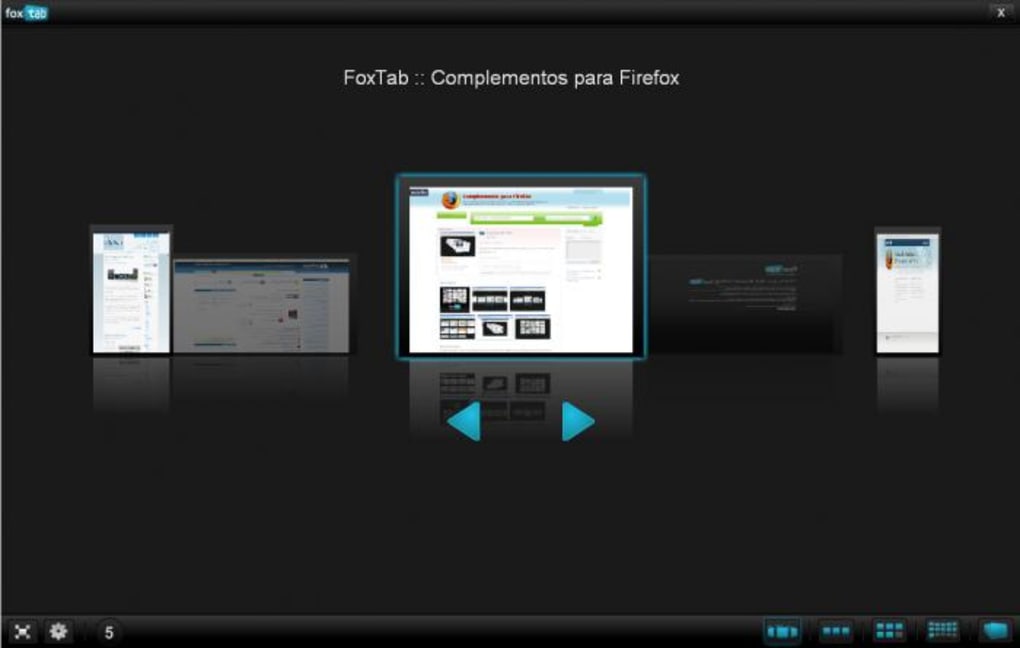
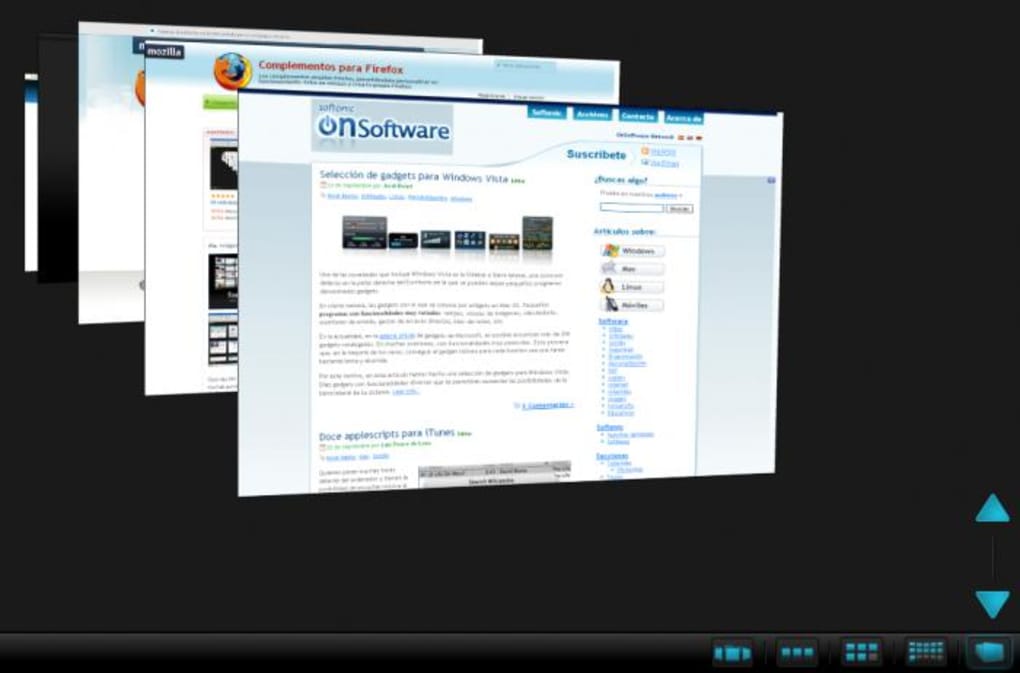
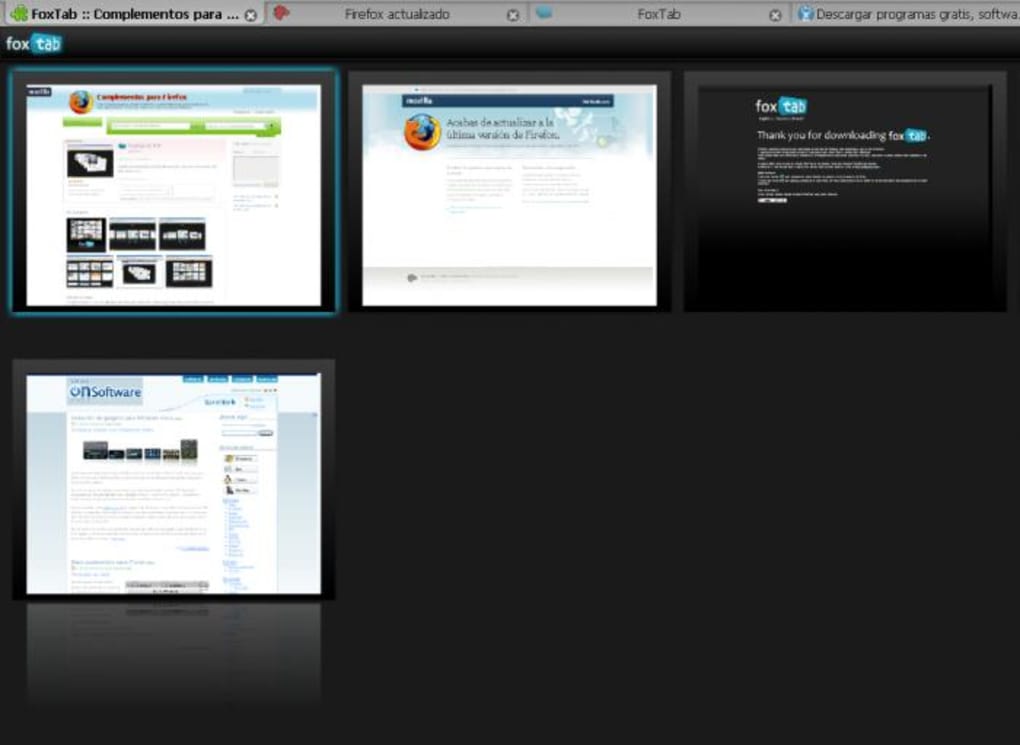
- Five Dynamic Layouts: Choose from Stack (3‑D layered view), Wall (desktop‑like collage), Grid (square matrix), Row (horizontal strip), or Circle (radial orbit).
- Instant Layout Switching: Use CTRL+TAB (or a custom shortcut) to cycle through views in real time.
- Live Page Previews: Each tab shows a live thumbnail, so you can see content without opening it.
- SiteFlow View: A new layout that mimics macOS Cover Flow, allowing smooth scrolling through tab previews.
- Theme & Wallpaper Support: Fully compatible with Linux mouse gestures to change FoxTab themes and background images.
- Hide Tab Bar Option: Optionally remove the default Firefox tab bar for a cleaner workspace.
- Customizable Sizes: Adjust Interactive and Flip modes to suit your screen real‑estate.
- Keyboard‑Centric Controls: Full control via keyboard shortcuts, reducing reliance on mouse clicks.
Installation, Usage & Compatibility: Getting Started with FoxTab
Installing FoxTab is straightforward. Head to the official Mozilla Add‑ons store, search for “FoxTab,” and click the Add to Firefox button. The add‑on requests permission to read your tabs and modify the browser UI—both are essential for rendering the visual layouts. Once installed, a small FoxTab icon appears next to the address bar, giving you quick access to settings.
Step‑by‑Step Setup
- Download: Visit the FoxTab page and click “Add to Firefox.”
- Grant Permissions: Confirm the permission dialog; FoxTab needs to read tab titles and URLs to generate previews.
- Initial Configuration: Open the FoxTab settings panel (click the icon → “Options”). Here you can select your default layout, enable the hide‑tab‑bar feature, and assign a custom shortcut for layout cycling.
- Choose a Theme: Under “Appearance,” pick a pre‑loaded theme or upload your own background wallpaper. Linux users can also enable mouse‑gesture shortcuts for rapid theme switching.
- Activate: Press CTRL+TAB to display the first layout (Stack by default). Use the shortcut again to rotate through Wall, Grid, Row, and Circle.
Practical Usage Tips
For heavy tab users, the Grid view works best when you need a quick bird’s‑eye view of many pages at once. The Circle layout is ideal for visual learners who enjoy a radial arrangement; you can spin the circle with your mouse wheel to bring a specific tab to the front. If you prefer a minimalist workspace, enable the “Hide Tab Bar” option and rely solely on FoxTab’s visual previews.
Compatibility: FoxTab runs on any platform that supports Firefox 78+ – this includes Windows 10/11, macOS Catalina and later, Linux distributions (Ubuntu, Fedora, Debian, etc.), and even Firefox for Android (though the Android version currently offers limited layout options). Because FoxTab renders live thumbnails, it can be RAM‑intensive; users with less than 4 GB of free memory may notice a slight slowdown. Keeping your Firefox up to date ensures optimal performance and security.
Pros, Cons & Frequently Asked Questions
Pros & Cons Overview
- Pros
- Visual tab management dramatically reduces time spent searching for the right page.
- Five distinct layouts accommodate different workflows and personal preferences.
- Live previews mean you never have to open a tab to verify its content.
- Customizable themes and wallpaper add a personal touch to your browsing environment.
- Keyboard‑first design keeps your hands on the keyboard, improving productivity.
- Cons
- Higher RAM consumption, especially with many high‑resolution pages open.
- Some Firefox themes may clash with FoxTab’s UI, causing minor visual glitches.
- Layout switching can feel disorienting at first; a short learning curve is expected.
- Limited functionality on Firefox for Android compared to desktop versions.
FAQ – Your FoxTab Questions Answered
Can I use FoxTab with multiple Firefox profiles?
Yes. FoxTab is installed per‑profile, so you can enable it in one profile and disable it in another without affecting overall functionality.
Does FoxTab work with private browsing windows?
FoxTab respects Firefox’s privacy settings. In a Private Window, the add‑on will not store thumbnails after the session ends, but you can still view live previews while the window is open.
How can I reduce the RAM impact of FoxTab?
Limit the number of open tabs, switch to the “Row” or “Wall” layout (which uses fewer 3‑D effects), and disable the live thumbnail refresh option in the settings.
Is there a way to export my FoxTab layout settings?
Yes. The settings panel includes an “Export/Import” button that saves your layout preferences and theme choices to a JSON file, which can be imported on another device.
What should I do if FoxTab interferes with a custom Firefox theme?
Try disabling the “Hide Tab Bar” option or switch to the “Grid” layout, which is the least visually demanding. Updating both FoxTab and the conflicting theme to their latest versions often resolves the issue.
Review Summary: FoxTab offers a fresh, visual approach to tab management that will please power users and visual learners alike. While it does consume extra memory, the productivity gains typically outweigh the cost for most desktop environments.
Conclusion: Should You Download FoxTab?
If you regularly juggle a multitude of Firefox tabs, FoxTab can become an indispensable part of your workflow. Its five distinct layouts provide a visual shortcut to the exact page you need, eliminating the endless scrolling of a traditional tab bar. The live preview feature is especially valuable for researchers, writers, and developers who need to compare multiple sources quickly. Although the add‑on does require a modest amount of RAM, the ability to hide the default tab bar and choose a low‑impact layout means you can tailor performance to your hardware.
Overall, FoxTab scores high on usability, customization, and visual appeal. The occasional incompatibility with certain themes is a minor trade‑off for the significant boost in tab navigation efficiency. For Windows, macOS, or Linux users seeking a free, secure way to regain control over their browsing sessions, FoxTab is a worthy download.
Ready to transform your Firefox experience? Click the Download FoxTab button now, configure your preferred layout, and say goodbye to tab overload forever.







